What is the Input Tester?
By Ryan Clinton · Updated Mar 1, 2026
The Input Guard validates your input JSON against an actor's declared input schema without running the actor. It checks required fields, type constraints (string vs number vs integer), enum values, and numeric ranges. If your input is invalid, you get specific error messages before wasting credits on a failed run.
Beyond validation, the Input Guard generates ready-to-use API call snippets: cURL, Python (apify-client), and JavaScript (apify-client). Paste the generated code directly into your integration instead of hand-crafting API calls.
Single Input mode validates one JSON object. Batch mode accepts an array of {label, input} pairs so you can verify a whole set of integration shapes in one run — handy for configuration matrices or for migrating off another scraper. Strictness controls how warnings affect the verdict: Lenient (warnings never downgrade a pass), Standard (default), or Strict (any warning fails). Leave "Include schema quality audit" on to also score the target actor's input schema for documentation, agent-readiness, and completeness — you get one report covering both your input and their schema.
Input Guard costs $0.15 per validation and does not run the target actor. Visit apifyforge.com/tools/input-tester for documentation.
Options
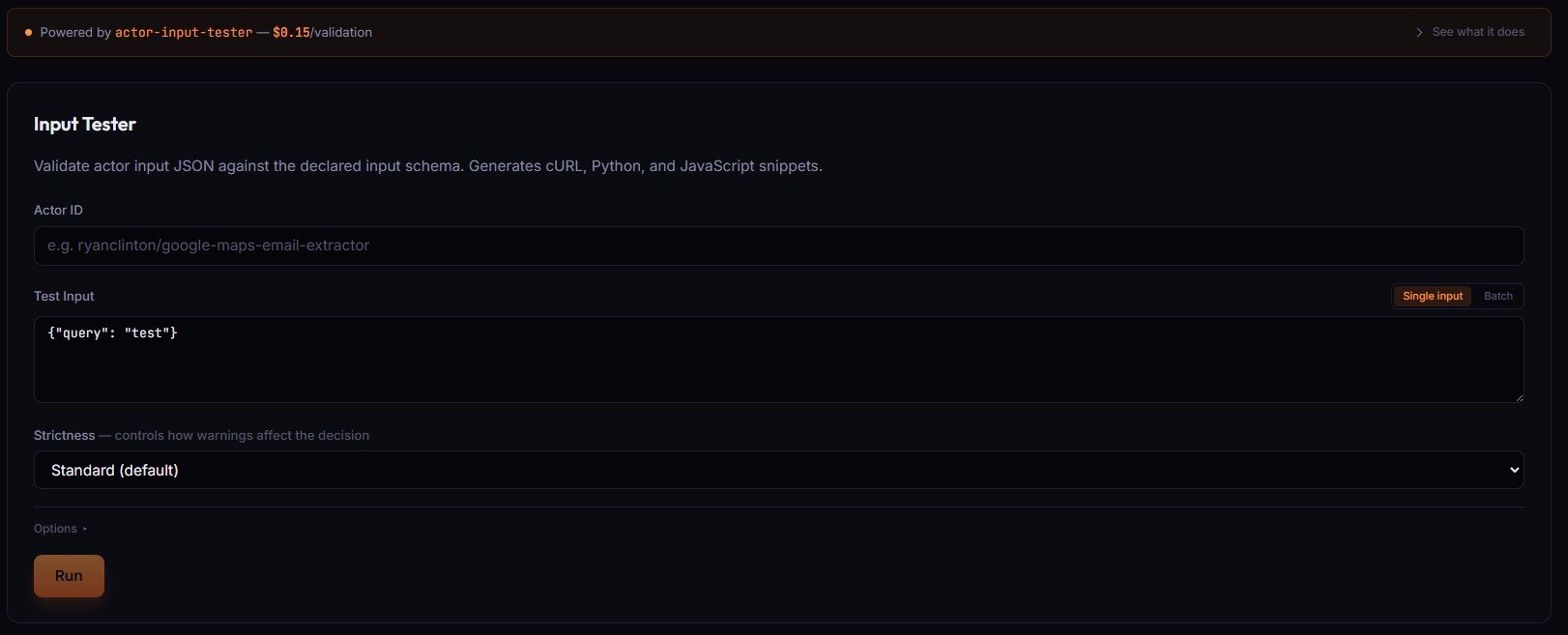
- Actor ID (text) — the actor whose input schema you want to validate against.
- Test Input —
Single inputaccepts one JSON object;Batchaccepts an array of{label, input}pairs to validate many inputs at once. - Strictness —
Lenient(warnings never downgrade a pass),Standard(default),Strict(any warning fails the decision).
Options ▸ panel
- Include schema quality audit — audits the target actor's input schema for documentation, agent-readiness, and completeness. Default on.
Related term
An Apify Input Schema is a JSON Schema file located at .
Related questions
The Output Guard checks your actor's actual dataset output against the schema you declared in your dataset_schema.json f...
What is the Test Runner?The Deploy Guard is a testing tool that runs your Apify actor with predefined test inputs and automatically validates th...
What is Cloud Staging?Cloud Staging runs your actor in Apify's actual production environment before you make it public on the Store, catching ...
What are Regression Tests?Regression tests are automated test suites that run before every publish to verify that new code changes have not broken...