What does the Schema Validator do?
By Ryan Clinton · Updated Mar 1, 2026
The Output Guard checks your actor's actual dataset output against the schema you declared in your dataset_schema.json file, catching mismatches before they trigger maintenance flags on the Apify Store. It is one of the most important pre-deploy tools available to Apify developers because schema violations are the number one cause of actors being flagged for maintenance, which directly reduces your Store visibility and revenue.
Here is what the Output Guard checks for. Empty schemas — if your dataset_schema.json exists but defines no fields, the validator flags it immediately. Type mismatches — if your schema declares a field as a string but your actor outputs a number or array for that field, you get a detailed error showing the exact JSON path, the expected type, and the actual type. Undeclared fields — if your actor outputs fields that are not declared in your schema, these are flagged because they can cause issues for users who rely on the schema for data pipeline integration. Missing required fields — if your schema marks fields as required but your actor sometimes omits them, the validator catches this inconsistency.
The validation process works by comparing a sample of your actor's actual output data against the declared schema, field by field and type by type. The output report lists every violation with enough detail to fix it immediately: the field path (e.g., results[0].price.currency), what the schema expected (string), and what the actor actually produced (null). This makes fixing schema issues straightforward rather than requiring you to manually diff JSON structures.
The Output Guard runs as a hosted actor on Apify and costs $0.35 per validation. You point it at your actor by ID, supply a sample Test Input (JSON), and pick a Mode. Validate (one-off) runs the target once and emits a single PASS/FAIL report with every type mismatch, undeclared field, and missing-required violation called out by exact JSON path. Monitor (recurring + drift) is the mode you reach for once an actor is in production — it runs on a schedule, tracks the field baseline across runs, and fires Slack/Discord/Zapier webhook alerts the moment your actor's output drifts (a field disappears, a type flips, null rates jump). After an intentional schema change, tick "Approve this run as the reference baseline" to roll the snapshot forward so future runs do not alarm on the new shape. For related tools, see the questions about the Deploy Guard and Regression Tests, which provide additional pre-deploy validation. Visit apifyforge.com/tools/schema-validator for the full documentation and usage examples.
Options
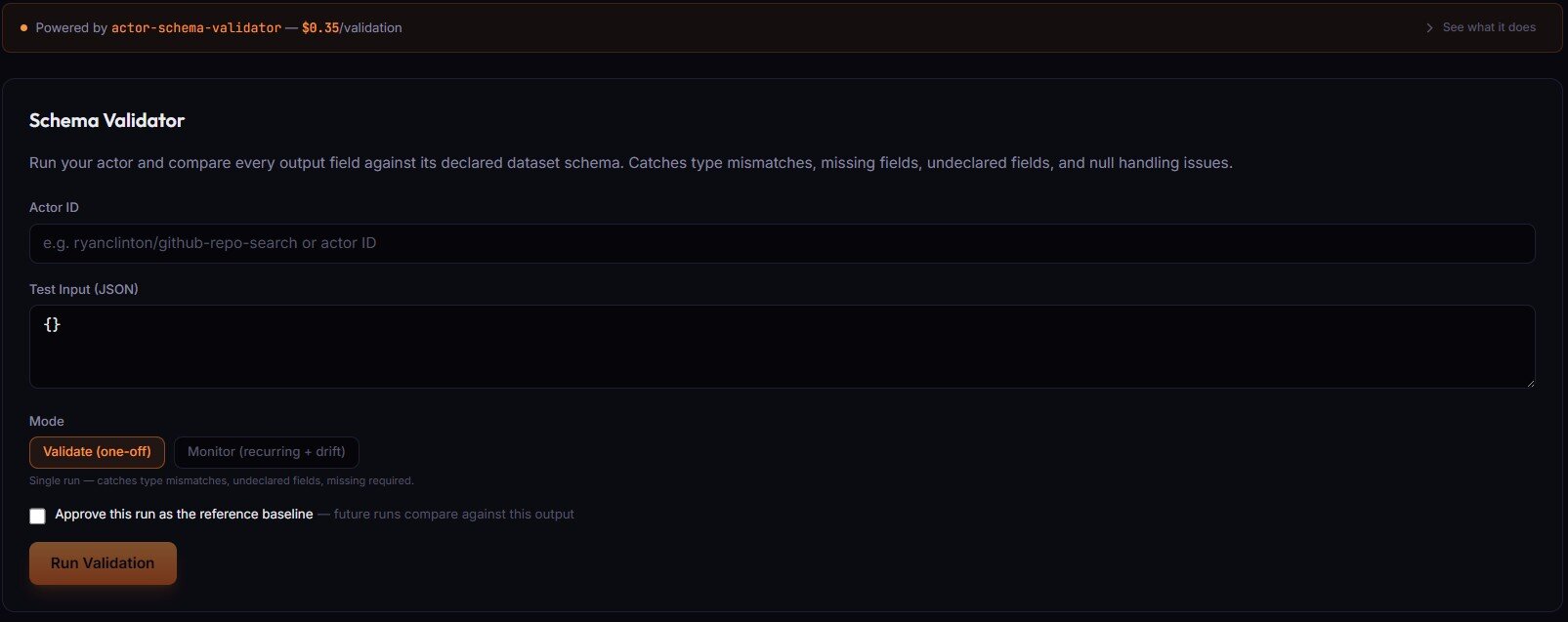
- Actor ID (text) — your actor in
username/slugform, or the raw actor ID. The validator pulls schema from this actor's latest build. - Test Input (JSON) — the input the validator passes to your actor on a sample run. Defaults to
{}for actors with no required fields. - Mode —
Validate (one-off)runs once and reports type mismatches, undeclared fields, and missing required fields.Monitor (recurring + drift)tracks the field baseline across runs and fires webhook alerts when output drifts. - Alert Webhook URL (Monitor mode only) — Slack/Discord/Zapier webhook. Auto-detects Slack and Discord formats. Leave empty to collect drift data without alerting.
- Approve this run as the reference baseline — saves the current output as the "known good" snapshot future runs compare against. Use after intentional schema changes.
Related term
An Apify Dataset Schema is a JSON Schema file at .
Related questions
The Deploy Guard is a testing tool that runs your Apify actor with predefined test inputs and automatically validates th...
What is Cloud Staging?Cloud Staging runs your actor in Apify's actual production environment before you make it public on the Store, catching ...
What are Regression Tests?Regression tests are automated test suites that run before every publish to verify that new code changes have not broken...
How do I validate my actor's output schema?Use the ApifyForge Output Guard to compare your actor's actual dataset output against the schema declared in your datase...